Automating order updates enhances efficiency and scalability in today’s digital landscape, yet preserving the human touch remains vital for customer engagement and satisfaction. This comprehensive guide explores how to automate order updates effectively, choose the right tools, and maintain a personalized customer experience.
Automated order updates keep customers informed by connecting order events to timely, personalized messages. To preserve the human touch, use accurate order data, explain what happens next, and make it easy to reach a person when an issue needs judgment.
What Are the Benefits of Automating Order Updates?
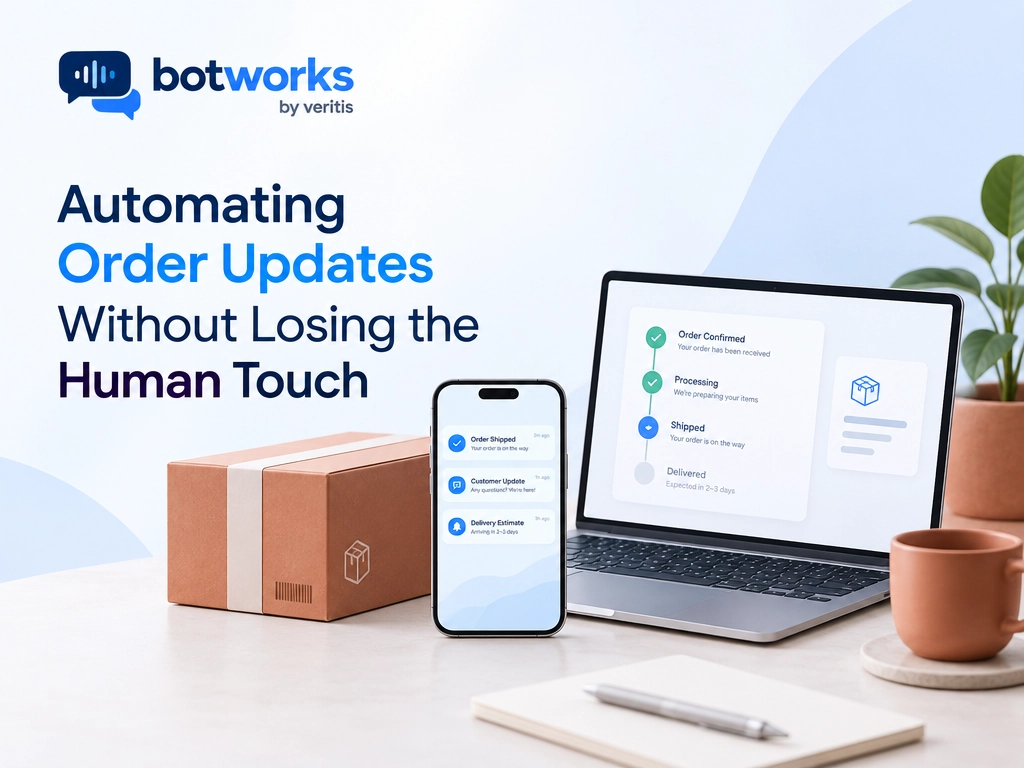
Automation is well suited for repetitive tasks associated with order updates, such as sending notifications at various stages of the purchase process. By using real time notifications through SMS or email, businesses can keep customers informed about order confirmations, shipping, and delivery updates. This approach not only provides timely information but also enables human resources to focus on more complex customer queries.
Real Time Notifications:
- Deliver concise updates at each stage of the order process.
- Use multiple channels (e.g., SMS, email, app) for greater reach.
The goal is fewer unanswered questions, not more messages. Let customers choose supported channels and avoid duplicate notifications about the same event. Keep promotional content separate from essential service updates.
Increase Customer Satisfaction with AIHow Can Automation Help Maintain Customer Satisfaction?
While automation boosts efficiency, retaining a human element is essential for customer satisfaction. Personalization significantly enhances user experiences. Incorporating customer names and order details in communications can raise the perceived quality of service.
Personalization Strategies:
- Utilize customer names and order specific details in communications.
- Use customer data insights to provide tailored product suggestions following a purchase.
Useful personalization explains the customer’s situation, not just their name. A delay message should acknowledge the inconvenience, share the latest verified information, and offer a clear next step.
For example: “Hi Maya, your order has been delayed in transit. The carrier has not confirmed a new delivery date. View tracking for the latest status, or reply for help.”
Never invent a delivery estimate to make a message sound reassuring.
What Are the Key Steps to Implementing Automation in Order Updates?
Starting the automation journey requires strategic planning focused on long term benefits. According to SAP, real time monitoring of fulfillment progress ensures that order updates remain accurate and consistent.
Key Elements:
- Develop a strategy focusing on efficiency and customer satisfaction.
- Connect with existing enterprise systems to ensure smooth and efficient operations.
Which Order Events Should Trigger Automated Updates?
Map each notification to a verified event in your order, warehouse, or carrier system:
- Order Confirmation: Confirm receipt, purchased items, and the delivery address.
- Shipment: Share tracking when the shipment status supports the message. Distinguish label creation from carrier collection.
- Delivery Changes: Explain delays, failed attempts, or revised estimates.
- Delivery Completion: Confirm the carrier’s recorded status and provide a route to report missing items.
- Returns and Refunds: Confirm progress only after the relevant system records it.
Define which system owns each status. Suppress duplicate events and prevent older events from overwriting newer information. If a system is unavailable, acknowledge the limitation rather than sending an unverified update.
Test normal journeys alongside delays, split shipments, cancellations, and failed integrations. Intercom’s November 5, 2026 release of Evals and Releases illustrates broader testing and staged deployment controls, not a new BotWorks order update launch.
How to Choose the Right Customer Service Automation Tools
Choosing the right automation tools requires evaluating business needs, integration capabilities, scalability, and customer experience goals. Botworks helps organizations automate customer interactions through intelligent Chat and Voice AI while supporting existing enterprise workflows.
1) For Businesses Starting with AI Automation
Focus on automating repetitive customer inquiries, providing instant responses, and improving support availability without adding unnecessary operational complexity.
2) For Growing Businesses
Prioritize intelligent customer interactions, personalized responses, enterprise system integration, and seamless human escalation to manage increasing support demands.
3) For Scaling Enterprises
Look for advanced AI automation, unified Chat and Voice support, secure integrations, governance controls, and measurable service outcomes across customer touchpoints.
Botworks helps enterprises scale customer service automation, reduce manual workloads, and deliver consistent customer experiences through intelligent AI agents.
Ask vendors to demonstrate a real order lookup, an unavailable system, and an escalation. Confirm channel support, integration requirements, access permissions, and audit records. Distinguish standard capabilities from custom implementation work.
A useful platform must do more than send messages. It should retrieve trusted data, follow business rules, and support approved actions without exceeding its permissions.
How Do Chatbots Contribute to Order Updates?
Chatbots can improve customer service by addressing common inquiries quickly, but their implementation requires meticulous planning and execution.
Steps to Success:
1) Define Objectives: Define clear objectives for chatbot implementation.
2) Choose Technology: Select a platform that aligns with business needs and customer preferences.
3) Test & Optimize: Continuously evaluate performance and refine bot interactions.
Before revealing order details, verify the customer’s identity using your approved process. Retrieve current status from connected systems rather than relying on general AI knowledge.
Keep lookup permissions separate from action permissions. An address change, cancellation, or refund should require eligibility checks and any necessary customer confirmation. Record the outcome and transfer unresolved requests with their context.
What is the Right Balance Between Automation and Human Customer Service?
Automation should optimize processes while maintaining the essential human aspects of customer service, building relationships and trust.
Steps to Balance Automation and Humanity:
1) Start by Automating the Work: Focus on automating routine updates and administrative tasks, while keeping personalized communications for specific interactions.
2) Segment Customers by Automation Readiness: Identify which customer segments prefer digital interactions and tailor automation to meet their preferences.
These practices ensure that automation complements rather than replaces personal customer interactions, leading to a more satisfying user experience.
Escalate when customers request a person, dispute a delivery, or need an exception outside approved rules. Pass along the verified status, conversation history, and actions already attempted. Customers should not have to start again.
How Do You Measure Whether Automated Order Updates Work?
Track order inquiry volume, repeat contacts, resolution time, notification failures, and customer satisfaction. Review incorrect updates and failed actions alongside successful resolutions.
Compare results with a baseline that accounts for order volume and seasonal changes. A sent notification is not a resolved customer need. Check whether customers received accurate information and completed their intended next step.
Conclusion
Finding the perfect balance between automation and human interaction in order updates is crucial for modern businesses. By leveraging advanced technologies, companies can deliver efficient, tailored experiences that improve customer satisfaction and foster loyalty. For a personalized assessment of your automation strategy, book a consultation with Botworks.
Improve Customer Satisfaction with AIFAQ’s on Automating Order Updates
How can order update automation enhance customer service?
Automating order updates enhances customer service by providing timely notifications, freeing up staff to handle complex queries.
What should businesses consider when choosing automation tools?
Companies should consider budget, functionality, integration capability, and personalization features when selecting automation tools.
Why is maintaining a human touch important in automation?
The human touch is crucial to ensure customer engagement and satisfaction, making service feel more personalized.
What should an automated order update include?
Include the verified status, relevant order reference, expected next step, and a way to get help. Share delivery estimates only when supported by current source data.
Can automated order updates handle delays and cancellations?
They can communicate verified delays and support approved cancellation workflows when connected systems permit them. Requests outside policy or requiring judgment should go to a human agent.