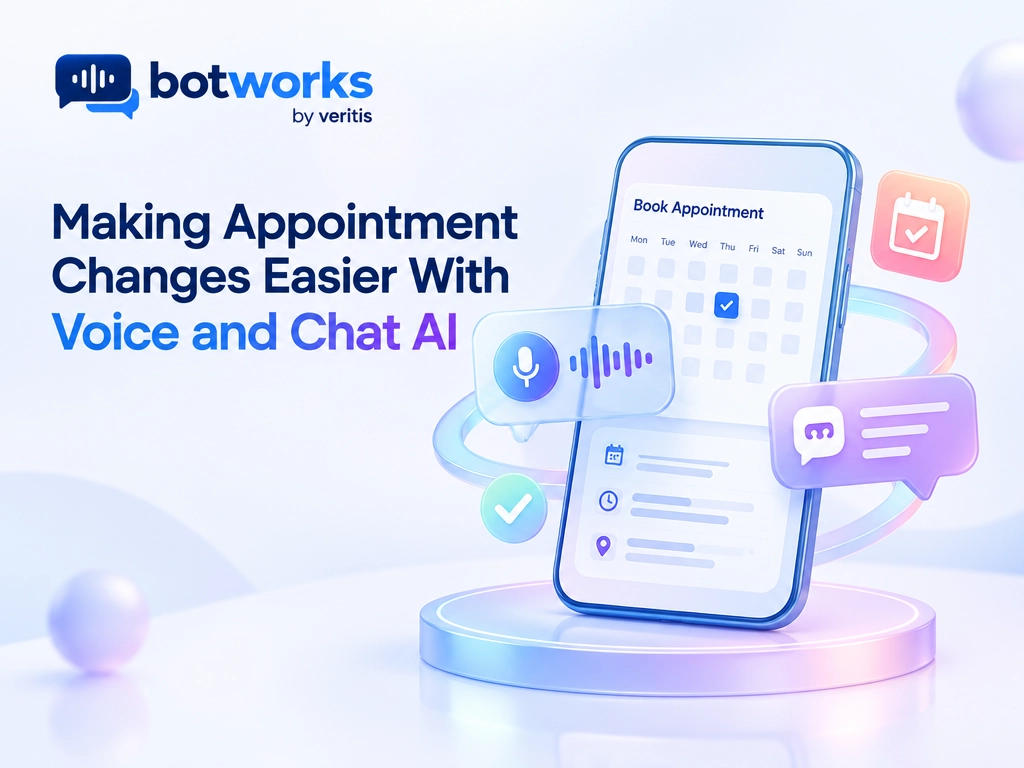
Voice and chat AI can help customers reschedule, cancel, or confirm appointments by verifying identity, checking live scheduling rules, executing authorized changes, and confirming the result. Reliable appointment automation requires integration with the scheduling system, clear approval rules, and a human alternative when a request cannot be resolved safely.
Changing an appointment should not require repeated calls, long queues, or explaining the same request twice. Yet even a simple change can involve identity checks, scheduling restrictions, payment policies, and updates across multiple systems.
Voice and chat AI can handle these steps when connected to the right systems and governed by clear rules. This guide explains how appointment changes should work, what enterprises need to deploy them safely, and how to measure real business value.
Explore Voice and Chat AI SolutionsWhat is Voice and Chat AI for Appointment Management?
Voice and chat AI lets customers request appointments through spoken or written conversation. For appointment management, its role is not simply to answer scheduling questions: it must connect the conversation to an authorized action in the system that holds the booking.
The distinction is between collecting a request and completing a verified change. A useful appointment assistant must make that distinction clear to the customer throughout the interaction.
What AI Appointment Management Should Do
An appointment assistant should do more than collect a request. It should understand the customer, take an authorized action, verify the result, and communicate the outcome accurately.
1) Which Appointment Changes Should the Assistant Support?
Three workflows require different controls:
- Rescheduling: Retrieve the existing booking, check current availability, preserve provider and resource requirements, obtain agreement, and verify the replacement.
- Cancellation: Identify the correct appointment, explain applicable fees or restrictions, obtain authorization, and update the scheduling record.
- Confirmation: Distinguish between acknowledging a booking receipt, recording attendance intent, and approving a pending reservation. These are different actions.
2) How Should Appointment Reminders Support Changes?
Reminders should support a response, not deliver a message. Appointment reminder documentation describes responses across text, email, WhatsApp, and voice, including conversational texting for rescheduling. Actual execution still depends on the deployed integration.
For teams using conversational AI to reduce missed appointments, measure reminder delivery, successful changes, and eventual attendance separately.
How a Reliable Appointment Change Works
A dependable workflow follows 6 steps:
1) Verify Identity and Authority
Confirm that the person can access or change the appointment, including any caregiver or representative permissions.
2) Resolve Ambiguity
Identify the exact booking, date, location, and customer preference before making changes.
3) Check Live Availability and Rules
Query the scheduling system for eligible slots, appointment duration, required resources, and cancellation restrictions.
4) Request Explicit Approval
Restate the proposed date, time, time zone, location, and any relevant fee.
5) Execute and Verify
Use an approved system action and read back the resulting appointment status. Preserve the original booking if the replacement cannot be secured.
6) Notify and Record
Send confirmation through an approved channel and retain an appropriate audit record.
What Should Happen When A Request Or Available Slot is Unclear?
For example, “Move my appointment to Friday afternoon” requires clarification if the customer has two bookings or the intended Friday is unclear. If the selected slot disappears before confirmation, the assistant should offer another option, not claim success.
Choosing Voice, Chat, and Enterprise Integrations
1) Match the Channel to the Customer
Voice supports customers who prefer speaking or cannot easily type. Effective voice service needs interruption handling, accurate recognition of names and dates, and a way to confirm critical details.
Chat makes proposed times and policies easy to review. It also provides an alternative when speaking is inconvenient or inaccessible.
Offering both channels does not automatically preserve context between them. Test whether customers can switch channels without repeating information, while maintaining identity verification.
2) How Do Voice and Chat Requirements Compare?
| Channel | Appointment interaction to test | Operational requirement |
| AI voice agents | A caller corrects a spoken date midway through a request | Recognize the correction and reconfirm the final selection |
| AI chat agents | A customer selects a slot from a written conversation | Recheck availability before committing the change |
| Both channels | A customer transitions from a chat conversation to a phone call | Transfer relevant context without bypassing authentication |
3) Connect to the System of Record
The scheduling platform must remain authoritative. Depending on the industry, integration may involve an electronic health record, dealership service scheduler, reservation platform, CRM, or field service system.
4) What Should Scheduling APIs and Permissions Support?
Separate permission to read availability from permission to modify bookings. Approved actions should validate required fields, enforce business rules, and return a transaction reference or explicit status. When an update times out, check its status before retrying so one request does not create duplicate changes.
5) How Should Enterprises Evaluate Appointment AI Platforms?
Evaluate three solution categories: specialized industry assistants, enterprise customer service platforms, and configurable agent building platforms. Prioritize demonstrated integration depth and operational control over a polished conversation.
BotWorks is an enterprise AI customer service platform built around understanding intent, executing approved actions across Chat and Voice, and escalating when human judgment is required. Appointment workflows should follow that same resolution standard.
6) What Should a Vendor Demonstrate Before Purchase?
Ask vendors to demonstrate a completed change in a test scheduling environment, a rejected policy exception, an interrupted transaction, and an escalation with context. Assess implementation effort, usage charges, telephony costs, ongoing testing, and human oversight alongside licensing.
What Benefits Does the Evidence Support?
Automation can improve access, but evidence for ordinary scheduling automation should not be presented as proof of conversational AI’s incremental value.
1) What Does Automated Rescheduling Research Show?
A 2026 Mayo Clinic study examined 229,998 waitlisted appointments. About 24.6% accepted automated rescheduling offers. Among appointments moved earlier, the median improvement was 15 days. This observational finding supports automated slot matching, but it doesn’t guarantee the same outcome for every customer or AI deployment.
2) Which Business Benefits Need Local Validation?
Likewise, fewer scheduling tasks do not automatically mean lower payroll costs, and easier booking alone does not guarantee fewer missed appointments. Validate benefits in the actual operating environment.
Security, Accessibility, and Recovery Controls
1) How Should Appointment Data Be Protected?
Appointment details, recordings, and transcripts can contain sensitive information. Apply access controls, data minimization, retention limits, restrictions on secondary use, and audit logging.
For US healthcare, HHS guidance on cloud computing explains business associate agreement and safeguard obligations when cloud providers process protected health information. A compliance label alone is insufficient.
2) How Should AI Instructions and Transaction Authority Be Separated?
Customer messages and retrieved content must not override authentication or scheduling policies. Enforce permissions in the integration layer rather than relying only on conversational instructions, and require human approval for actions outside the assistant’s defined authority.
3) What Safeguards Should Govern Errors, Access, and Escalation?
Operational safeguards should also include:
- Protection against duplicate actions and conflicting updates.
- Clear distinction between requested, pending, and completed changes.
- Recovery after timeouts or interrupted calls without blindly repeating transactions.
- Accessible authentication, text and voice options, and an easy human alternative.
- Testing across accents, languages, disabilities, and communication needs.
- Escalation with relevant context when identity, policy, or system status remains uncertain.
Launch Small and Measure Resolution
1) How Should an Appointment AI Pilot Begin?
Start with a defined appointment type and approved actions. Test ambiguous requests, unavailable slots, policy exceptions, and integration failures before expanding.
2) When Should the Pilot Expand?
Set acceptance criteria before launch, including successful change verification, unwanted changes, escalation quality, and recovery from failures. Expand only after reviewing results against those criteria, with a documented rollback process and an accountable operational owner.
3) Which Outcomes Should the Pilot Measure?
Compare the pilot with existing service and simpler automation. Track correctly completed changes, unwanted changes, repeat contacts, abandonment, customer effort, appointment attendance, and canceled slots actually refilled.
Measure net cost per successful change, including integration, oversight, and rework. Review results by channel and customer group, not just overall averages.
Conclusion
Book a consultation with Botworks to assess your current environment and define a clear path toward governed appointment automation with measurable outcomes.
Get Started with Voice and Chat AIFAQ’s on Voice and Chat AI
Can voice and chat AI reschedule an appointment without staff involvement?
Voice and chat AI can complete an authorized rescheduling request when it can verify the customer, check live availability and scheduling rules, obtain approval, and verify the updated booking. Requests involving uncertain identity, policy exceptions, or unresolved system status should escalate to a human.
What is the difference between an appointment reminder and an AI appointment assistant?
An appointment reminder notifies a customer about a booking, while an AI appointment assistant can handle a conversational request to change it. A reminder that accepts replies still needs the appropriate scheduling integration to execute and verify a change.
Should an enterprise choose voice or chat for appointment changes?
Choose channels around customer needs: voice supports spoken interaction, while chat makes times and policies easy to review. If both are offered, test context transfer and identity verification rather than assuming customers can switch seamlessly.
What happens if an appointment change fails?
The assistant should distinguish a requested or pending change from a completed one and avoid claiming success without verification. For rescheduling, it should preserve the original booking if the replacement cannot be secured and recover from interruptions without blindly repeating the transaction.
How should enterprises measure the value of appointment AI?
Measure correctly completed changes, unwanted changes, repeat contacts, customer effort, attendance, and canceled slots actually refilled. Compare results with existing service and simpler automation, including integration, oversight, and rework, to calculate the cost per successful change.
Make Verified Resolution the Standard
The goal is not merely answering more calls. It is to make the correct appointment change safely, explain the result clearly, and reduce effort for customers and staff.